Skip to content

New: Printable puzzle books from $6.99 · See the books

OwnerKits
Books & Puzzles OwnerKits PlayFree puzzles, no sign-up Business All products Free calculatorsGuides Pricing Support My products

Click the image to zoom · drag to move · Esc to close

  • NEW

Home Service Estimate & Invoice Templates + Payment Tracker

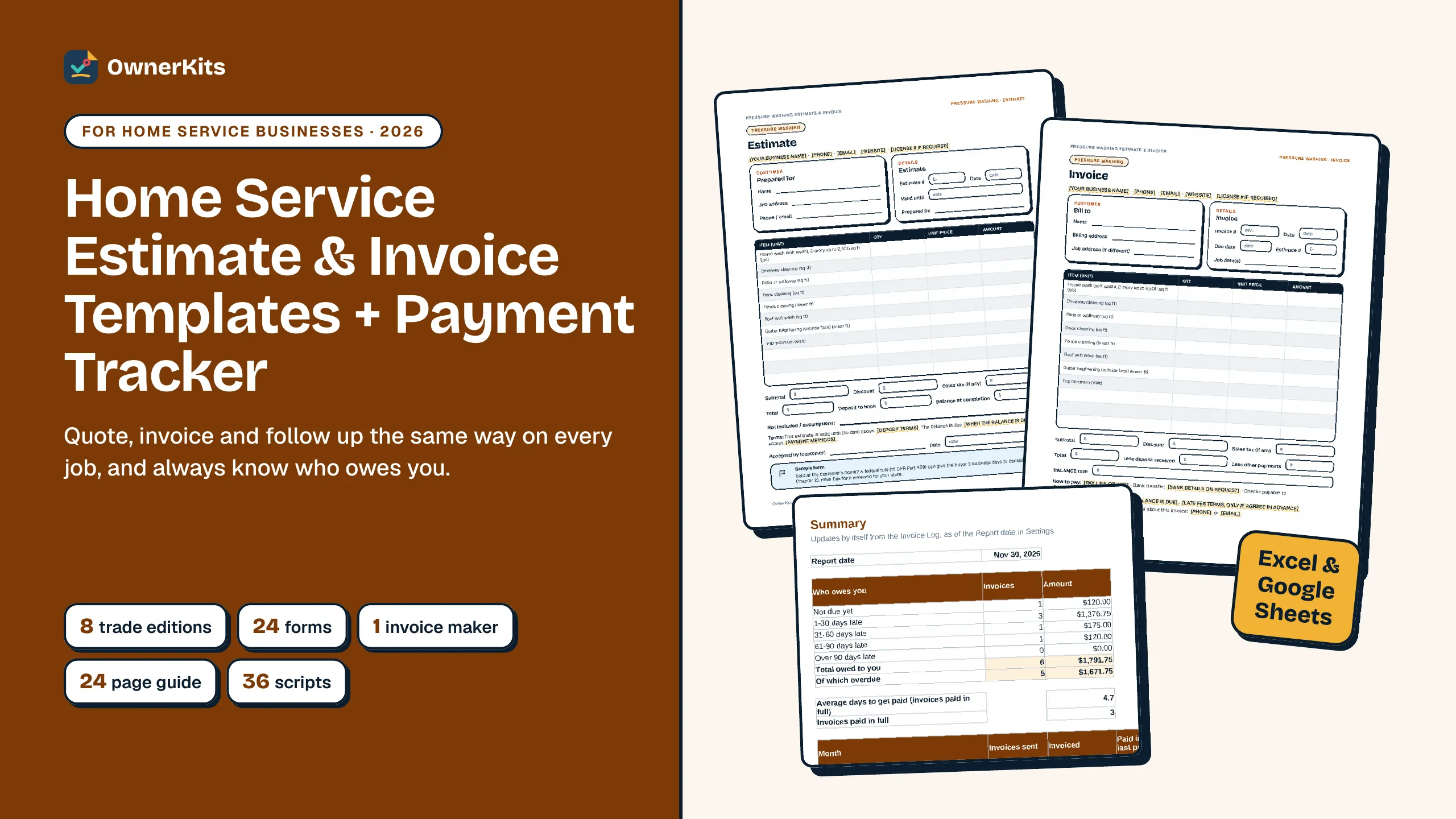
Estimate, invoice, change order and receipt templates for 8 trades, an Excel and Google Sheets invoice maker that tracks who owes you, and the words to follow up.

$19one-time

Buy now
  • Instant download after payment
  • 14-day refund · secure checkout by Gumroad
Files
1 × PDF, 1 × PDF, 8 × PDF, 1 × PDF, 10 × DOCX, 2 × XLSX, 2 × TXT
License
single business
Version
1.0.0 · updated October 2026

✦ In the box

What you get, counted.

  • 1START HERE guidePDF
  • 1Get Paid Guide (24 pages)PDF
  • 8Estimate & invoice templates, 8 trade editionsPDF
  • 1Payment Scripts & Policy WordingPDF
  • 10Editable Word versions of the guide, templates and scriptsDOCX
  • 2Invoice Maker + Payment Tracker, blank and exampleXLSX
  • 2Copy-paste scripts and licenseTXT

✦ About this product

About Home Service Estimate & Invoice Templates + Payment Tracker

Most money problems in a small service business aren't about price. They're about paperwork: a vague quote, no deposit, an invoice sent a week late and nobody following up. This kit gives a home service business one simple paper trail, from estimate to paid, and the tools to run it in a few minutes a week.

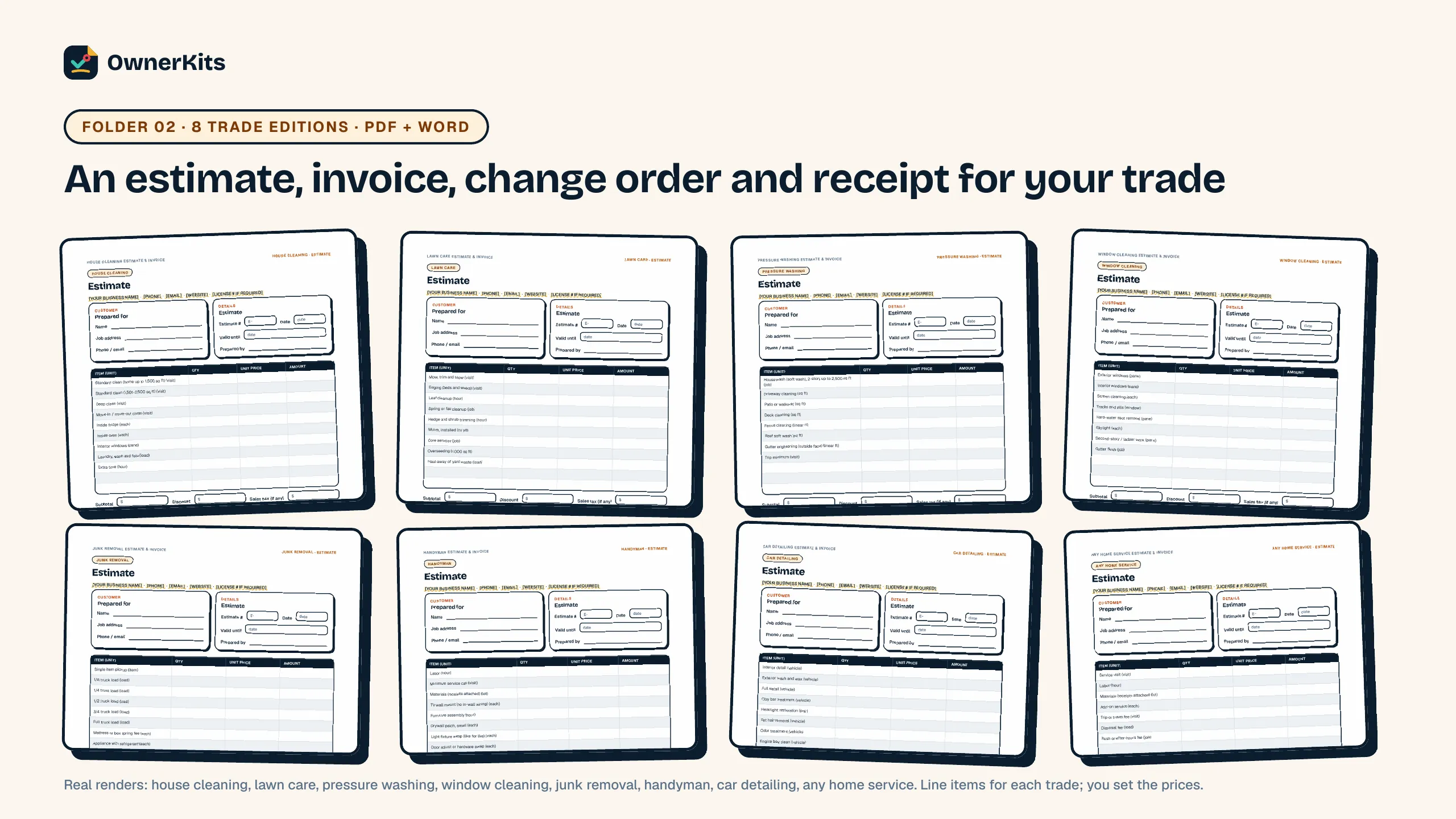
You get printable and editable templates for 8 trades: house cleaning, lawn care, pressure washing, window cleaning, junk removal, handyman, car detailing and any home service. Each edition has an estimate and an invoice with that trade's line items already listed, plus a change order and a payment receipt. Use the PDFs to print and fill in by hand, or edit the Word versions with your own details.

The Invoice Maker (Excel and Google Sheets, no macros) holds your price list and customers. Type a code and a quantity and the estimate or invoice fills in prices, tax, deposit and balance, ready to save as PDF. Its Invoice Log shows every unpaid invoice, how many days late it is, and which reminder to send next, with the matching script. The 24-page Get Paid Guide covers what goes on an estimate, deposits and payment terms, card fees, sales tax, a 4-step reminder schedule and what to do when a customer doesn't pay, with the federal rules checked in October 2026 and links. 36 texts, emails, phone lines and policy blocks are ready to copy. It can't promise that customers pay on time, and it is not legal, tax or financial advice.
  • 8 trade editions

    Estimate, invoice, change order and receipt with each trade's line items, as print PDF and editable Word.

  • Invoice Maker

    Type a code and a quantity; prices, tax, deposit and balance fill in. Excel and Google Sheets, no macros.

  • Know who owes you

    An Invoice Log with days late, status and the next reminder to send, plus a summary by age.

  • Words for every step

    36 texts, emails, phone lines and policy blocks, from the deposit request to the final notice.

✦ What's included

Every guide, form and tool, by job.

  • 8 editions: house cleaning, lawn care, pressure washing, window cleaning, junk removal, handyman, car detailing, any home service
  • Each with an estimate, an invoice, a change order and a payment receipt (24 forms)

✦ Features

What it helps you do

  • Trade templates

    Estimate, invoice, change order and receipt for 8 trades, with each trade's line items listed; print PDF and editable Word.

  • Invoice Maker

    Price list, customers, estimate and invoice tabs with tax, discount, deposit and balance; print-ready, no macros.

  • Payment tracker

    Invoice Log with due date, days late, status, next reminder date and script; summary by age and month.

  • Get Paid Guide

    24 pages on estimates, deposits, terms, card fees, sales tax and late payers, with federal rules and links.

  • Payment scripts

    36 texts, emails, phone lines and policy blocks, as PDF, Word and copy-paste TXT.

✦ How it works

From checkout to your first quote.

  1. Step 1

    Buy once

    Checkout is handled by Gumroad, with no subscription.

  2. Step 2

    Download

    Your receipt has the download link; open 0 - START HERE.pdf first.

  3. Step 3

    Quote your next job

    Fill in the Invoice Maker's Settings and prices, or print your trade's template, and send the estimate the same day.

Files, requirements and updates

Files included

  • 1 × START HERE guide (PDF)
  • 1 × Get Paid Guide (24 pages) (PDF)
  • 8 × Estimate & invoice templates, 8 trade editions (PDF)
  • 1 × Payment Scripts & Policy Wording (PDF)
  • 10 × Editable Word versions of the guide, templates and scripts (DOCX)
  • 2 × Invoice Maker + Payment Tracker, blank and example (XLSX)
  • 2 × Copy-paste scripts and license (TXT)

Requirements

  • Excel or Google Sheets for the Invoice Maker
  • Word, Google Docs or Pages to edit the templates (or print the PDFs)
  • Your own email, text or payment app to send invoices and take payments

Works with

  • Windows
  • macOS
  • Excel
  • Google Sheets
  • Word
  • Google Docs
  • Any PDF reader

Version history

  1. v1.0.0 (2026-10-21) — First release

✦ FAQ

Questions about this product

Buying, downloads, refunds and how the app keeps your data: see all questions

What exactly do I get?

One ZIP with 25 files: 8 trade editions of the estimate, invoice, change order and receipt (PDF and editable Word), the Invoice Maker and a filled-in example (Excel), the 24-page Get Paid Guide and 36 payment scripts (PDF and Word, plus a TXT of the scripts), a START HERE page and a license file.

Does the Invoice Maker work in Google Sheets?

Yes. Upload it to Google Drive and open it with Google Sheets. It has no macros and uses only common functions.

Are prices included?

The templates and the Price List list typical line items for each trade, and you type your own prices. The example workbook shows prices from a fictional business so you can see how it works; they are not market rates.

Is this invoicing software?

No. It's a set of templates and a spreadsheet you own. It doesn't send invoices or take payments; you save the PDF and send it with your own email, text or payment app.

Which trades is it for?

There are editions for house cleaning, lawn care, pressure washing, window cleaning, junk removal, handyman and car detailing, plus one for any home service. You can add your own items to the Price List.

Does it cover deposits, late fees and sales tax?

The guide explains the choices and the federal rules (such as the FTC's 3-day cancellation rule) with links, and shows where to check your state's rules on deposits, late fees, card fees and sales tax. It is not legal or tax advice.

Will customers pay faster?

It can't promise that. It gives you clear estimates and invoices, terms in writing and a follow-up schedule, so nothing slips through.

Ratings & reviews

Only verified buyers can review, using the license key from their purchase. We publish every review that follows our review policy, positive or negative.

    Loading reviews…

    ✦ You might also like

    Related products

    Home Service Pricing Calculator & Price Increase Kit thumbnail with a price tag and calculator
    • NEW

    Excel Tool

    Home Service Pricing Calculator & Price Increase Kit

    An 8-tab Excel and Google Sheets pricing calculator with a filled-in example, a 32-page guide, 10 price increase letters, 12 texts and emails and 4 price list templates.

    $27 one-time

    Handyman Contract Templates & Forms Pack thumbnail with a contract and a shield
    • NEW

    Template

    Handyman Contract Templates & Forms Pack

    8 handyman contract templates, 8 job forms, a deposit and payment planner for Excel and Google Sheets, 16 customer messages and a 28-page guide. Editable Word files.

    $19 one-time

    Car Detailing Forms, Waivers & Contract Templates Pack thumbnail
    • NEW

    Template

    Car Detailing Forms, Waivers & Contract Templates Pack

    8 detailing contracts incl. a liability waiver, 8 customer forms, 6 aftercare sheets, an Excel job tracker, a 31-page guide and 16 messages, all editable in Word and Excel.

    $19 one-time

    Support

    Email support@ownerkits.com or visit the support page.

    Refunds

    Full refund within 14 days of purchase. Refund policy.

    License

    One business. Use and edit the files for your own business; don't resell or share them. Read the license