- NEW
Spreadsheet
Home Service Bookkeeping Spreadsheet & Profit Tracker
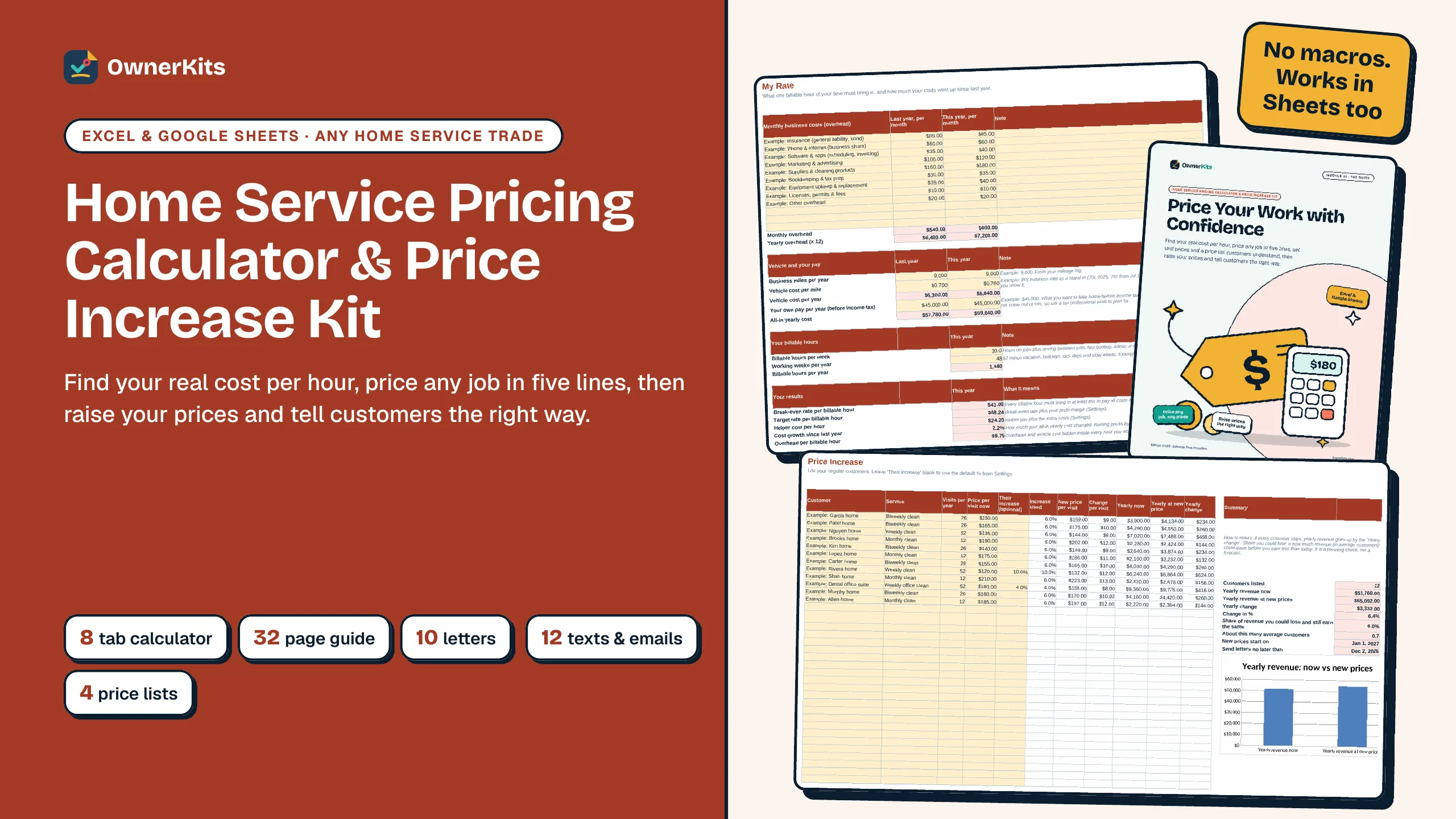
An 11-tab Excel and Google Sheets workbook with a filled-in example, a 31-page plain-English guide and 8 printable logs for home service businesses. No macros.
$19 one-time
New: Printable puzzle books from $6.99 · See the books
Popular
No matches. Try a shorter word, like “mystery”, “word search” or “cleaning”.
See all products Alibi Squares
 Cocoa & Carols Christmas Word Search
 Large Print Variety Puzzles for Adults
 Large Print Word Search for Seniors
 The Claude AI Prompt Book
Find your real cost per hour, price any job in five lines, then raise your prices and tell customers the right way.
✦ In the box
✦ About this product
It's tempting to set prices by looking at what others charge. That shows what the market might pay, but not whether a job covers your insurance, your truck, your helpers and your own pay. This kit starts from your numbers instead.
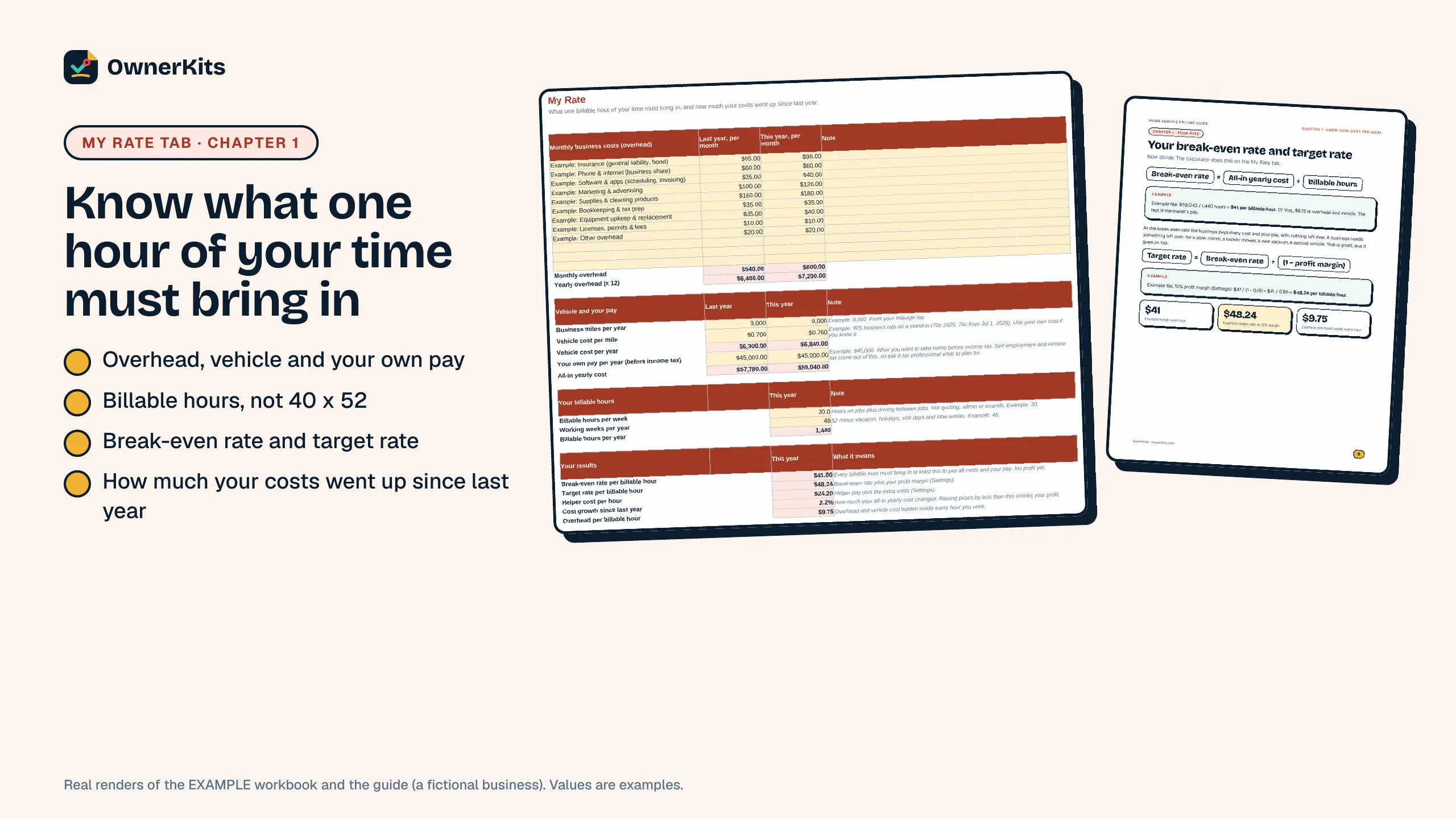
The calculator works out your break-even rate and target rate per billable hour from your overhead, vehicle cost, the pay you want and the hours you really bill. Then it prices any job in five lines (your time with drive and dump runs, helper time, materials and fees, margin, rounding and your minimum charge), turns your own timing into prices per sq ft, per pane, per visit or per load, and keeps your price list in one place.
When it's time to raise prices, the Price Increase tab lists every regular customer with their new price, the yearly change, how much revenue you could lose and still earn the same, and the date to send your letters. Ten ready-to-edit letters (including commercial and contract customers, minimum charges and surcharges), twelve texts and emails, a phone script and answers to pushback help you tell customers plainly and kindly.
The 32-page guide, Price Your Work with Confidence, walks through every step with worked examples from a filled-in example workbook (a fictional house cleaner). It works for any home service trade, in Excel and Google Sheets, with no macros. Every example price and time is labelled Example: use your own costs and timings. It is a planning tool, not legal, tax or financial advice.
Your real hourly rate
Break-even and target rate from your own costs and billable hours, plus how much your costs went up since last year.
Price any job
Five lines with helpers, drive time, dump fees, rounding and minimums, or unit prices from your own timing.
Plan the increase
New price per customer, yearly change, revenue you could lose and still earn the same, and your send-by date.
Say it well
10 letters, 12 texts and emails, a phone script, pushback answers and 4 price list layouts, all editable.
✦ What's included
✦ Features
Overhead last year and this year, vehicle cost, your pay and billable hours give your break-even rate, target rate and cost growth.
Every quote in five lines, with helpers, drive and dump-run time, fees, rounding, minimums and a price-per-hour check.
Turn your own timing into prices per sq ft, per pane, per visit or per load, then keep your price list in one tab.
Up to 200 customers: new prices, yearly change, the share of revenue you could lose and still earn the same, and the send-by date.
✦ How it works
Checkout is handled by Gumroad, with no subscription.
Your receipt has the download link; open 0 - START HERE.pdf first.
Fill in My Rate, then quote one job you did last week and compare.
✦ FAQ
Buying, downloads, refunds and how the app keeps your data: see all questions
One ZIP with 11 files: the calculator and a filled-in example (Excel), a 32-page guide, the letters and scripts and the price list templates (each as PDF and editable Word), a TXT file of messages to copy, a START HERE page and a license file.
Yes. Upload the .xlsx to Google Drive and open it with Google Sheets. It has no macros and uses only functions that work in both Excel and Sheets.
Any home service business: cleaning, lawn care, pressure washing, window cleaning, handyman, junk removal, car detailing, snow removal and more. The job and unit calculators take your own hours, units and fees.
No. It shows what your own costs need, plus your margin. It doesn't know local market prices, and the example prices and timings come from a fictional business. Compare the result with what customers in your area pay.
No. They are sample customer letters. If a customer has a written agreement, follow its notice and price-change terms, and know that rules vary by state. This kit is not legal advice.
Pricing survey figures come from Jobber's 2026 Home Service Trends Report, and the vehicle cost stand-in is the IRS business mileage rate (sources listed in the guide, checked October 15, 2026). All other numbers are labelled examples.
The starter kits price one trade. This kit adds your cost-per-hour math for any trade, the Price Increase planner, the letters and scripts, and price list templates.
Only verified buyers can review, using the license key from their purchase. We publish every review that follows our review policy, positive or negative.
Loading reviews…
✦ You might also like
Spreadsheet
An 11-tab Excel and Google Sheets workbook with a filled-in example, a 31-page plain-English guide and 8 printable logs for home service businesses. No macros.
$19 one-time

Template
8 handyman contract templates, 8 job forms, a deposit and payment planner for Excel and Google Sheets, 16 customer messages and a 28-page guide. Editable Word files.
$19 one-time
Set your hourly rate with the Pricing Calculator and run every clean from 23 room-by-room checklists.
$37 one-time
Template
Estimate and invoice templates for 8 home service trades, an invoice maker with a payment tracker (Excel & Google Sheets), a 24-page get-paid guide and 36 payment scripts.
$19 one-time
Email support@ownerkits.com or visit the support page.
Full refund within 14 days of purchase. Refund policy.
One business. Use and edit the files for your own business; don't resell or share them. Read the license
Home Service Pricing Calculator & Price Increase Kit$27 one-time
Buy now